Showing posts with label Photoshop Elements 8. Show all posts

Wednesday, December 28, 2011

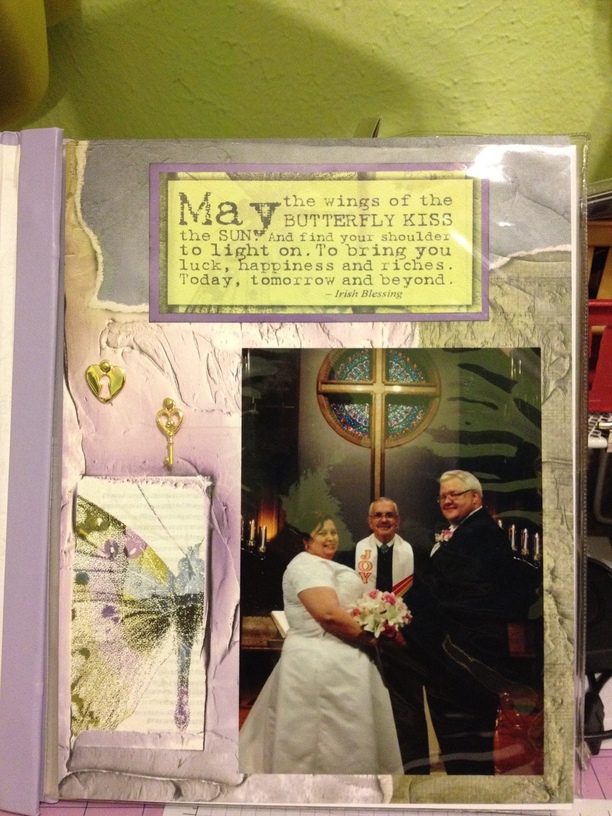
Quick Wedding Album
For my Daughters Fiance's Mother for Chrismas.
Club Scrap kits, Papillon and Raku.
Stampin up ink and paper.


I was in a hurry to get it wrapped so took photos of the pages inside the album.
So have some glare on them.

Wednesday, August 31, 2011

Carnival Magic Digital Page!!


I just love making Digital Scrapbook Pages. I have saved all kinds of Photos of Carnival Magic (from the internet) and then thought I should use the best for a Digital Background for my computer! So its not 12x12 like most scrapbook pages, its 17x11 so it looks good on both my laptop and monitor screens. And I save in the highest resolution. When blogger uploads it, it reduces the resolution a bit.
I used Nautical Expedition - designer series digital paper from Stampin Up. I just love the old sailing ship paper!!
Editing was done with PSE8.

Monday, May 9, 2011

Pond Scrapbook Pages

I call this one "The Frog Princess".
I heard the Frogs out by the Pond singing, so I told the boys to get the flashlights and find them.  This one froze as the flashlight hit it and stayed there the entire time we were out there!! I told the boys it must be a girl, since it liked them so much! That they should give her a kiss in case she was a Princess!!  But no Kisses for that sweet Frog!! Pond is full of Tadpoles, so she must have found her Prince Charming!!


All of these are a Hybred of Paper Kits, Digital Kits, and Photo's. I then Scanned them, before putting in the album.  Mostly Club Scrap "Lotus Pond" Paper and Digital.  These are 8x8 pages.


These Two are of my Pond!
The one below I did not have much room for anything else, so added a Bow to the Ribbon for accent.


All these will go in the "Lotus Pond" Album that came with the senior kit. Good thing I ordered that extra paper!!  Now I need to get around to doing some of the earlier photos of the pond!!

Wednesday, March 2, 2011

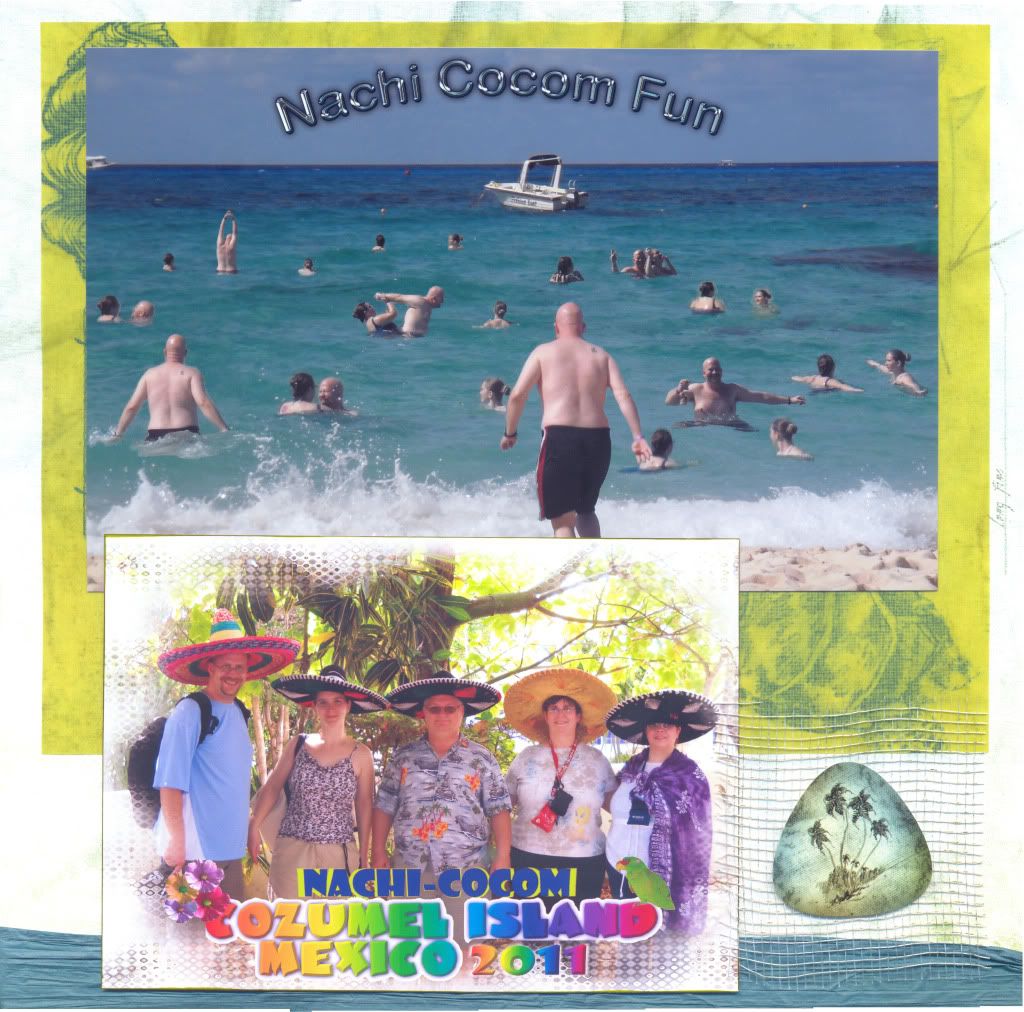
Nachi Cocom Scrapbook Page.

Here is my finished Scrapbook Page, from the Beach Photo I posted earlier!! Unforutunatly I was not able to get a photo of myself or my husband in the water!! The Adult kids were having too much Fun and that is what is fun to Photograph!!! I used Club Scrap Castaway Paper and embelishments, Stampin Up ink. edited the beach photo with PSE8!

Tuesday, February 15, 2011


 I wanted to scan my Scrapbook pages to send to the others who were on Vacation with us. This is what I came up with that wont COST me $$$ to have it done.
Using my Old HP Scanner I was able to get 11 3/4 inch scan but only 8 1/2 wide. So I scanned each side and using PSE8 and Photomerge I was able to get this result!! I am SO HAPPY with how it came out!!!
I used Club Scrap Kit "All that Jazz". Stamping Up Markers.
edited to add:
Here is more of the Scanned pages I have done:
http://s279.photobucket.com/albums/kk155/loritxphotos/Vacation/

Friday, January 21, 2011

Nachi Cocom, Cozumel MX

I had fun playing with all the beach photos.
Anyway its easier to scrapbook this one photo than try to get them all on one page.
I will post the scrapbook page when I get it done!

This was easy to do, just crop the people out of the water and remove the background, then layer it on the one background. I really did not work too hard to remove the background to cleanly, since I was putting the people back on a water background of the same color. The only way you can really see the crop marks is if you veiwed it very large!

Sunday, December 26, 2010

Friday, December 17, 2010

Afghan

As I was crocheting this my Dogs were peacefully sleeping on my lap! I just had to make this into a Digital Photo!! They look so peaceful!!!

Tuesday, December 14, 2010

A few of my Digital Scrapbook Pages

Here are a few of my First Digi Pages-Some were done with Microsoft Power Point, now everything is done with Adobe Photoshop Elements 8, or Coolibah (Iphone app).
Our Family Pets (photoshop)

Mom and Taffy   These were done with Coolibah Iphone app!

This was a template that I downloaded and added a "year in photos" to it. (photoshop)

One of my first trys using Powerpoint-which is not really for digi scrapbooking, but it worked pretty well!!